Introduction
आज के समय में जब कोई customer किसी product या service की जरूरत महसूस करता है, तो सबसे पहले वह Google पर search करता है:
- “Best restaurant near me”
- “Mobile repair shop near me”
- “Electrician near me”
- “Website designer in Delhi”
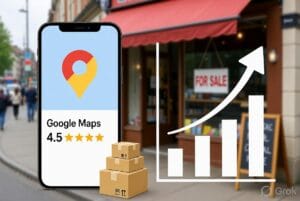
इन searches में जो businesses Google Maps पर ऊपर दिखाई देते हैं, उन्हें ज्यादा customers और enquiries मिलती हैं।
लेकिन सवाल यह है:
कुछ shops Google Maps पर top position पर क्यों आते हैं और कुछ businesses दिखाई भी नहीं देते?
इसका जवाब है — Local SEO (Search Engine Optimization).
सही SEO strategy अपनाकर कोई भी local business अपनी Google Maps visibility improve कर सकता है और ज्यादा customers तक पहुंच सकता है।
What Is Google Maps SEO?
Google Maps SEO का मतलब है अपने business को इस तरह optimize करना जिससे Google आपके business को relevant local searches में ऊपर दिखाए।
जब कोई customer आपके आसपास किसी service को search करता है, तो Google कई factors के आधार पर businesses को rank करता है:
- Business location
- Business information accuracy
- Customer reviews
- Website SEO
- Photos and updates
- Customer engagement
1. Create and Optimize Your Google Business Profile
Google Business Profile (GBP) आपका online business identity card है।
सबसे पहले सुनिश्चित करें कि आपका profile पूरी तरह complete हो।
Add करें:
✅ Business Name
✅ Correct Address
✅ Phone Number
✅ Website URL
✅ Business Category
✅ Working Hours
✅ Business Description
✅ Services List
✅ Photos
Incomplete profile Google और customers दोनों के लिए कम trustworthy लगता है।
2. Choose the Right Business Category
Google Business Profile में category selection बहुत important है।
Example:
अगर आपका business web design service देता है, तो:
Wrong:
Internet Company
Better:
Website Designer
सही category Google को समझने में मदद करती है कि आपका business किस type के customers के लिए relevant है।
3. Use Local Keywords in Your Business Profile
Local SEO में location-based keywords बहुत powerful होते हैं।
Example:
Instead of:
Web Design Services
Use:
Professional Web Design Services in Delhi
Instead of:
AC Repair
Use:
AC Repair Service in Uttam Nagar Delhi
लेकिन keyword stuffing ना करें। Information natural और customer-friendly होनी चाहिए।
4. Get More Genuine Customer Reviews
Google Maps ranking में reviews का बहुत बड़ा role होता है।
ज्यादा positive reviews:
- Customer trust बढ़ाते हैं
- Google को business quality का signal देते हैं
- Local ranking improve कर सकते हैं
Customers से review मांगें:
- Service complete होने के बाद
- Product delivery के बाद
- Successful project completion के बाद
Example message:
“Thank you for choosing us. Please share your experience by leaving a Google review.”
5. Upload Business Photos Regularly
Photos customers को business के बारे में confidence देते हैं।
Upload करें:
- Shop photos
- Team photos
- Products
- Work examples
- Before/After images
- Customer interaction photos
Regular updates Google को signal देते हैं कि business active है।
6. Create a Website for Your Business
आज Google Maps ranking के लिए सिर्फ profile काफी नहीं है।
एक professional website आपके business authority को improve करती है।
Website में include करें:
- Business information
- Services pages
- Location pages
- Customer reviews
- Contact details
- FAQ section
Example:
A Delhi-based electrician can create:
- Electrician in Delhi
- Emergency Electrician Services
- Home Electrical Repair Services
ऐसे pages local searches में ranking improve करने में मदद करते हैं।
7. Keep Your Business Information Consistent Everywhere
Google आपके business information को अलग-अलग websites पर compare करता है।
Ensure करें:
Business Name
Address
Phone Number
हर जगह same हो।
इसे NAP Consistency कहते हैं:
N – Name
A – Address
P – Phone Number
8. Add Your Business to Online Directories
Business directories local SEO में मदद कर सकते हैं।
Examples:
- Industry directories
- Local directories
- Service directories
Directory listings से:
- More visibility मिलती है
- Website authority improve हो सकती है
- Customers को business discover करने में मदद मिलती है
9. Post Regular Updates on Google Business Profile
Google Business Profile में posts डालना एक underrated SEO strategy है।
आप share कर सकते हैं:
- New offers
- New services
- Customer reviews
- Business updates
- Special announcements
Example:
“20% Discount on Website Design Packages This Month”
10. Improve Customer Engagement
Google देखता है कि customers आपके business के साथ कितना interact करते हैं।
Important signals:
- Website clicks
- Phone calls
- Direction requests
- Reviews
- Messages
जितना ज्यादा customer interaction होगा, उतना Google को business relevance समझने में मदद मिलती है।
Common Mistakes That Hurt Google Maps Ranking
❌ Fake reviews खरीदना
❌ Wrong business information डालना
❌ Duplicate listings बनाना
❌ Incomplete profile रखना
❌ Reviews का जवाब ना देना
❌ Business category गलत चुनना
Google Maps Ranking Checklist
| Task | Importance |
|---|---|
| Complete Google Business Profile | ⭐⭐⭐⭐⭐ |
| Customer Reviews | ⭐⭐⭐⭐⭐ |
| Local Keywords | ⭐⭐⭐⭐ |
| Business Photos | ⭐⭐⭐⭐ |
| Website SEO | ⭐⭐⭐⭐⭐ |
| Directory Listings | ⭐⭐⭐ |
| Regular Updates | ⭐⭐⭐⭐ |
How WebSevak Helps Businesses Grow Online
छोटे businesses के लिए online visibility बनाना मुश्किल हो सकता है।
WebSevak businesses को मदद करता है:
- Professional online presence बनाने में
- Business listing improve करने में
- Website visibility बढ़ाने में
- Customers तक पहुंचने में
एक सही digital strategy आपके local shop को online customers तक पहुंचा सकती है।
Conclusion
Google Maps पर top rank करना सिर्फ location की बात नहीं है।
यह combination है:
- सही business information
- Local SEO
- Customer reviews
- Website optimization
- Regular engagement
अगर आपका business Google Maps पर दिखाई नहीं दे रहा है, तो आप हर दिन potential customers खो रहे हैं।
आज ही अपने business को optimize करें और Google पर ज्यादा customers तक पहुंचें।